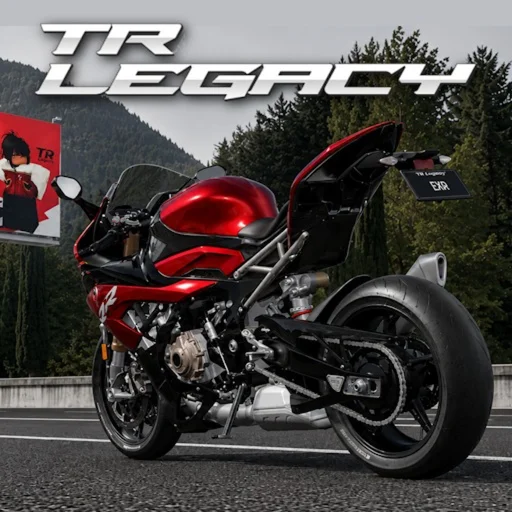
TR Legacy Wiki
TR Legacy PC Controls — Full Keyboard Guide
Every TR Legacy PC keyboard control: W/A/S/D movement, Shift handbrake, Q/E gears, M transmission, V camera, V+B first person, Shift+P freecam, and R reset.
Getting Started on PC
TR Legacy on PC delivers the most complete control experience exrgarage offers in this enhanced Roblox edition. Keyboard and mouse inputs provide precise steering corrections, rapid gear changes, and instant access to advanced camera modes that mobile players only partially replicate. Whether you are grinding checkpoints across the open world or lining up a solo time trial on a high-tier bike from the roster of 158 motorcycles, memorizing the default bindings first prevents muscle-memory conflicts when you switch from other Roblox driving games.
Connect a stable internet connection before practicing competitive inputs. Manual downshifts with Q and handbrake drifts with Shift demand frame-consistent timing; packet loss turns perfect sequences into random slides. Start in automatic mode until W/A/S/D feel natural, then toggle manual with M when you are ready to invest practice time.
Movement — W, A, S, D
W accelerates your motorcycle forward along the current facing direction. Holding W builds speed according to your bike's stats, current upgrade levels, and terrain grade. S applies braking force and can reverse at low speeds when fully stopped. A and D steer left and right, with steering radius affected by your speed, tyre grip upgrades, and whether the handbrake is engaged.
Feathering W and S rather than holding them binary-on produces smoother checkpoint chains. Tap S before sharp corners to settle weight forward, then reapply W as you exit the turn. Sudden full-brake inputs on high-speed bikes from later level unlocks can overwhelm traction control settings and cause highsides if you are still learning grip limits.
Handbrake — Shift
Hold Shift to engage the handbrake, locking the rear wheel for controlled slides and tight pivot turns. Checkpoint routes often hide handbrake corners behind elevation changes where normal braking would overshoot the gate. Release Shift smoothly to transfer weight and accelerate out of the slide—snapping off the handbrake too abruptly can straighten your line prematurely and clip barriers.
Combine handbrake initiations with steering inputs to perform U-turns in narrow alleys or adjust angle mid-air when minor trajectory corrections matter. Racing veterans use Shift taps rather than long holds to maintain momentum through sequences of gentle curves without sacrificing top speed on straights.
Gears & Transmission — Q, E, M
Press M to toggle between automatic and manual transmission. Automatic handles upshifts and downshifts for you, ideal for new players earning RM through exploration and early races. Manual mode assigns Q to downshift and E to upshift, rewarding players who match gear to RPM for faster launches and corner exits.
Downshift before entering slow hairpins to keep the engine in its power band, then upshift sequentially as speed builds on exit straights. Missing a shift causes brief power loss audible through engine note changes—use that feedback to refine timing. Manual mastery is optional for casual play but increasingly valuable in competitive multiplayer where fractions of a second decide placements.
- M — Toggle automatic / manual transmission
- Q — Downshift (manual mode)
- E — Upshift (manual mode)
Camera Controls — V, V+B, Shift+P
Press V to cycle through available camera modes behind your motorcycle. Each mode trades visibility against immersion: wider chase cams show upcoming checkpoint gates earlier, while tighter cams improve sense of speed. Hold V and press B together to enter first-person view, placing you directly in the rider perspective for precision line choice and jump timing.
Shift+P activates freecam, detaching the camera from the bike entirely so you can fly through the environment independently. Freecam does not pause the game on private servers but is invaluable for scouting routes, capturing cinematic footage, and teaching friends where to brake before difficult jumps. Press Shift+P again to return to standard follow camera.
- V — Cycle camera modes
- V + B — First-person camera
- Shift + P — Freecam toggle
Reset — R
Press R to reset your motorcycle when flipped, stuck on geometry, or wedged after a failed jump attempt. Resetting teleports you to the nearest valid respawn node facing a safe direction, though it may cost checkpoint progress if you have not cleared a save gate recently. Use reset judiciously in timed runs—stopping to recover often loses more seconds than attempting a slow reverse with S.
In multiplayer races, frequent R spam signals you are pushing beyond current skill or bike capability. Consider upgrading brake and grip components before blaming controls, especially when riding starter bikes near their performance ceiling on high-difficulty routes.
Related Pages
Complete TR Legacy controls overview for Roblox. Keyboard, mobile touch inputs, camera, transmission, freecam, and advan...
TR Legacy Mobile Controls — Touch GuideTR Legacy mobile touch controls for Roblox. Virtual joystick steering, handbrake button, reset, transmission toggle, and...
TR Legacy Advanced Controls & Riding TechniquesMaster TR Legacy advanced controls: freecam, moveable first-person camera, launch techniques, and competitive riding tip...