TR Legacy Wiki
How to Redeem TR Legacy Codes
Step-by-step guide to redeeming TR Legacy codes on Roblox. Shop Home, Codes tab, Place ID 127089247654125, and tips for mobile and PC players.
Before You Redeem
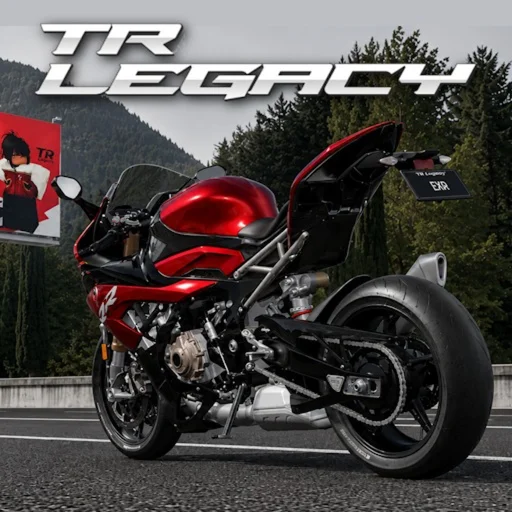
Make sure you are playing the correct Roblox experience before entering any code. TR Legacy runs at Place ID 127089247654125 and is developed by exrgarage as the enhanced edition of The Ride, featuring 158 bikes, expanded map content, and improved racing systems. Launching a similarly named but outdated place will not accept TR Legacy codes even if the title looks familiar in search results.
Log into the Roblox account where you want the rewards applied. Code redemptions bind to the active profile instantly and cannot be transferred afterward. If you play on a shared computer or tablet, confirm the username displayed in the top-right corner of the Roblox app before proceeding. Joining the exrgarage group before redeeming may also activate the 30% group bonus on eligible rewards.
Step 1 — Launch TR Legacy
Open Roblox on PC, mobile, or console and navigate to TR Legacy using the direct link or by searching the title in Discover. Verify the developer name reads exrgarage on the game detail page—this confirms you are on the official enhanced release rather than an unrelated clone. Wait for the experience to finish loading until you reach the main home screen with your RM balance visible.
If the game prompts you to update or rejoin after a patch, complete that process first. Code systems occasionally refresh during maintenance, and redeeming on an older server version sometimes produces temporary errors that clear once you restart the client.
Step 2 — Open Shop Home
From the TR Legacy home screen, locate and tap or click the Shop button. This opens Shop Home, the central hub for purchasing bikes, upgrades, cosmetics, and—critically—the Codes tab where free rewards are claimed. The shop interface organizes content into tabs across the top or side depending on your platform; take a moment to orient yourself if this is your first visit.
You do not need to own a motorcycle or reach a specific level before redeeming codes. Brand-new accounts starting with 55,000 RM can redeem immediately, which is why we recommend entering active codes before buying your first bike priced around 26,000 RM.
Step 3 — Select the Codes Tab
Inside Shop Home, select the Codes tab. You will see a text field labeled for code entry along with a Redeem button. This is the only legitimate redemption location inside TR Legacy—ignore any website, Discord bot, or social media post claiming you must enter codes on an external form, as those are common phishing tactics targeting Roblox players.
Tap the text field to activate your keyboard or on-screen input. On PC you can paste with Ctrl+V after copying a code from this wiki; on mobile, long-press the field and choose Paste. Ensure no leading or trailing spaces appear, since the game treats those as part of the string and rejects the submission.
Step 4 — Enter and Redeem Your Code
Type or paste the code exactly as published. Active codes as of July 2026 include the official THANKS45KLIKES and the community-verified TRLEGACYRELEASE, which grants 40,000 RM and 1,000 XP. Codes use uppercase letters and numbers with no spaces; copying directly from a trusted source minimizes typo errors that mimic expired-code messages.
Press Redeem and watch for a confirmation popup. Successful redemption displays the reward details and updates your RM or XP immediately. If you see an error, note the exact message—"Code does not exist" usually means a typo or expired string, while network errors may resolve after rejoining. Our troubleshooting page covers each error type in detail.
- Launch TR Legacy (Place ID 127089247654125)
- Open Shop from the home screen
- Select the Codes tab
- Enter the code with exact spelling and capitalization
- Press Redeem and confirm your new RM or XP balance
After Redemption — Smart Spending
Once your rewards land, resist the urge to splurge on the flashiest bike within reach. TR Legacy locks many motorcycles behind player level requirements, and overspending early leaves you unable to afford essential upgrades for races and checkpoints. A disciplined first purchase near 26,000 RM preserves budget for horsepower, brakes, and grip improvements that matter more than raw cosmetic appeal.
Check both your RM total and XP progress after each code. If numbers did not change, wait sixty seconds and reopen the shop—occasionally UI refresh lags behind the server. Persistent discrepancies mean you should revisit the not-working guide or rejoin the server before contacting support.
Related Pages
Complete list of TR Legacy Roblox codes for July 2026. Active codes THANKS45KLIKES and TRLEGACYRELEASE, plus expired cod...
TR Legacy Discord Codes — Official Code SourceFind new TR Legacy codes through the official EXR Garage Discord server. Learn how to use /tag codes, verify your accoun...
TR Legacy Code Not Working — Fixes & CausesFix TR Legacy codes that will not redeem. Covers expired codes like TY41KLIKES, typos, update delays, wrong Place ID, an...