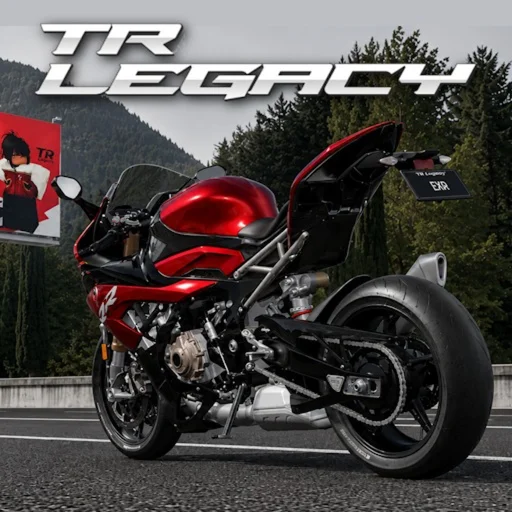
TR Legacy Wiki
TR Legacy Advanced Controls & Riding Techniques
Master TR Legacy advanced controls: freecam, moveable first-person camera, launch techniques, and competitive riding tips for exrgarage's enhanced Roblox edition.
Beyond Basic Inputs
Once W/A/S/D, handbrake, and reset feel automatic, TR Legacy opens depth through advanced camera tools and physics exploits that separate casual riders from record chasers. exrgarage designed the enhanced edition with The Ride's core handling intact but added polish across 158 bikes, broader map exploration, and competitive modes where milliseconds matter. Advanced controls do not require premium purchases—consistent with no pay-to-win—and instead reward practice time and mechanical understanding.
This guide covers freecam scouting, moveable first-person aiming, and launch techniques that improve checkpoint completion, solo time trials, and multiplayer consistency. PC players access the fullest toolkit; mobile users should focus on techniques compatible with touch inputs while accepting camera limitations.
Freecam — Shift+P
Toggle freecam with Shift+P on PC to detach the camera from your motorcycle and fly freely through the environment. Freecam pauses nothing automatically in live servers, so use it primarily during exploration, filming, or private practice rather than mid-race unless rules permit. Scout checkpoint sequences by flying ahead of your bike's planned path, noting brake points, handbrake corners, and landing angles before attempting them at speed.
Content creators rely on freecam to capture cinematic angles of high-tier bikes without Robux-only tools—everything runs on in-game controls. Return to follow camera with another Shift+P press before resuming riding, since attempting to control the bike while freecam is active produces confusing input feedback.
Moveable First-Person Camera
Enter first-person with V+B, then look around independently while maintaining throttle and steering inputs. Moveable first-person improves jump alignment because you see handlebar-relative trajectory instead of guessing from chase cam parallax. In multiplayer traffic, glancing sideways without turning the bike helps you slot through gaps between riders without oversteering.
The learning curve is steep: simultaneous steering, acceleration management, and camera rotation overwhelms new players. Drill on low-traffic checkpoint routes until head movement becomes subconscious, then transfer skills to competitive races where first-person line accuracy offsets the narrower field of view.
Launch Techniques
Standing starts and post-reset launches benefit from coordinated throttle, clutch simulation via manual mode, and weight transfer. In manual transmission, hold brake with S, rev with W, release brake, and upshift through E as RPM peaks—similar to drag racing fundamentals adapted for Roblox physics. Automatic transmission simplifies launches but produces slightly slower acceleration to first gate if you rely on full-throttle-only technique.
Handbrake launches exploit rear-wheel slip: roll slowly, tap Shift to break traction briefly, then apply W while counter-steering. Useful for tight checkpoint starts facing awkward angles. Hill launches require extra throttle before releasing brake so gravity does not roll you backward into barriers.
- Manual rev-launch: brake, throttle, release, timed upshifts
- Handbrake pivot launch: slip rear wheel, counter-steer, accelerate
- Downhill starts: pre-throttle before releasing brake on slopes
Combining Techniques in Practice
Advanced play merges camera choice with transmission mode per route section. Use chase cam on memorized straights for maximum gate visibility, switch first-person before technical jumps, and freecam scout unfamiliar community-created challenge segments before committing RM to upgrades tuned for specific terrain types.
Group sessions amplify learning: friends with the 30% exrgarage group bonus earn faster while practicing together, and watching others nail advanced sequences teaches timing you cannot absorb from text alone. Record your attempts—even phone recordings help identify whether lost time comes from late handbrake, missed shift, or suboptimal camera transition.
Páginas relacionadas
Complete TR Legacy controls overview for Roblox. Keyboard, mobile touch inputs, camera, transmission, freecam, and advan...
TR Legacy PC Controls — Full Keyboard GuideEvery TR Legacy PC keyboard control: W/A/S/D movement, Shift handbrake, Q/E gears, M transmission, V camera, V+B first p...
TR Legacy Mobile Controls — Touch GuideTR Legacy mobile touch controls for Roblox. Virtual joystick steering, handbrake button, reset, transmission toggle, and...