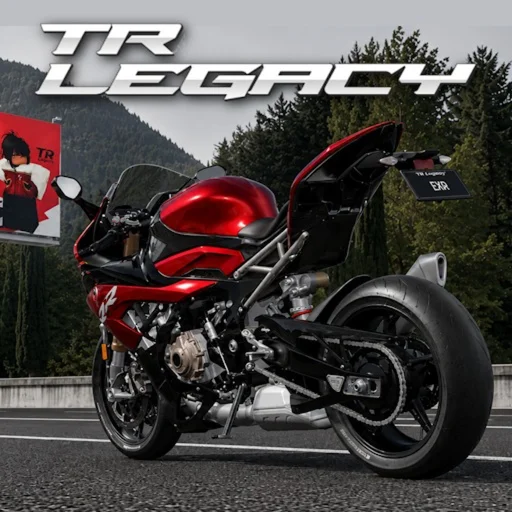
TR Legacy Wiki
TR Legacy Controls — PC, Mobile & Advanced
Complete TR Legacy controls overview for Roblox. Keyboard, mobile touch inputs, camera, transmission, freecam, and advanced riding techniques from the official exrgarage release.
Controls in TR Legacy
TR Legacy by exrgarage builds on The Ride's motorcycle physics with refined handling across 158 bikes, expanded map exploration, and competitive racing modes. Understanding the full control scheme separates smooth checkpoint runs from constant crashes, especially when switching between automatic and manual transmission or toggling camera modes mid-ride. Controls differ between PC and mobile, but both platforms share the same core actions: accelerate, brake, steer, shift gears, and reset your bike when stuck.
This overview summarizes every input category so you can jump to platform-specific pages for detailed key bindings or touch layouts. Advanced features like freecam and moveable first-person camera are optional but valuable for content creators, precision jumping, and learning racing lines without the constraints of chase cam.
PC Controls Summary
PC players use W/A/S/D for movement, with W accelerating and S braking or reversing depending on context. Shift activates the handbrake for slides and tight corner setups, while Q and E handle gear downshifts and upshifts when manual mode is enabled. The M key toggles between automatic and manual transmission, letting beginners learn without clutch timing before graduating to competitive shifting.
Camera controls round out the PC experience: V switches camera modes, V+B together enters first-person view, Shift+P enables freecam for cinematic shots, and R resets your motorcycle to the nearest valid respawn point when you flip or wedge into geometry. These bindings reflect the official description from exrgarage and apply to the enhanced TR Legacy edition at Place ID 127089247654125.
- W / A / S / D — Accelerate, steer left, brake/reverse, steer right
- Shift — Handbrake
- Q / E — Gear down / gear up (manual mode)
- M — Toggle automatic / manual transmission
- V — Cycle camera modes
- V + B — First-person camera
- Shift + P — Freecam
- R — Reset bike position
Mobile Controls Summary
Mobile players steer with a virtual joystick or tilt option depending on settings, while on-screen buttons handle acceleration, braking, and the handbrake. The handbrake button enables controlled drifts and quick direction changes during checkpoint chains where PC players would hold Shift. A dedicated reset button replaces the R key, returning your bike upright when you crash on steep terrain or clip a barrier.
Manual shifting on mobile maps to touch buttons for upshift and downshift once you enable manual transmission in settings or toggle it in-game. Camera controls are simplified compared to PC—typically a swipe or button to swap chase and first-person views—but freecam remains unavailable or limited on most mobile clients due to screen space constraints.
Advanced Controls & Techniques
Beyond basic driving, TR Legacy rewards players who master freecam, moveable first-person camera, and launch techniques that exploit weight transfer and grip limits. Freecam (Shift+P on PC) detaches the camera from your bike so you can scout checkpoint routes, film content, or inspect landing zones before attempting high-speed jumps across the open map.
Moveable first-person mode lets you look around independently while riding, improving awareness in dense traffic during multiplayer races. Launch techniques—timing handbrake releases, clutch drops in manual mode, and weight shifts over crests—provide marginal gains that compound over solo time trials and competitive events. None of these require Robux; skill progression stays true to the no pay-to-win design.
Customizing Your Control Setup
Spend your first sessions experimenting with automatic transmission until checkpoint lines and brake points feel natural. Switch to manual when you are comfortable—not before—or gear misses will cost more time than perfect shifts save. Adjust Roblox sensitivity settings if steering feels twitchy on high-performance bikes unlocked at higher levels.
If you group with friends, remember the 30% exrgarage group bonus applies to rewards, not controls—but coordinated practice sessions help everyone learn advanced inputs faster. Compare notes on camera preferences: some racers swear by first-person for precision, while others perform better with chase cam during wide-open speed sections.
Páginas relacionadas
Every TR Legacy PC keyboard control: W/A/S/D movement, Shift handbrake, Q/E gears, M transmission, V camera, V+B first p...
TR Legacy Mobile Controls — Touch GuideTR Legacy mobile touch controls for Roblox. Virtual joystick steering, handbrake button, reset, transmission toggle, and...
TR Legacy Advanced Controls & Riding TechniquesMaster TR Legacy advanced controls: freecam, moveable first-person camera, launch techniques, and competitive riding tip...